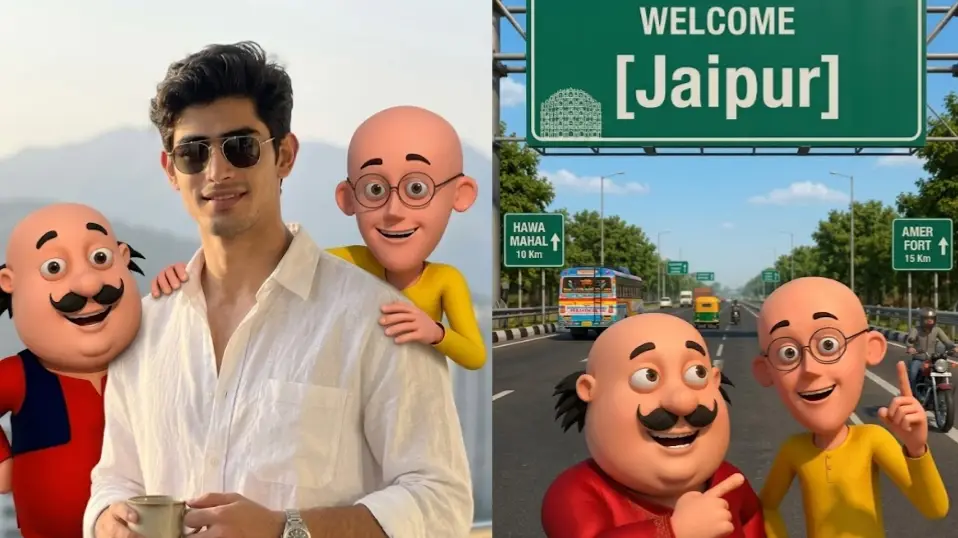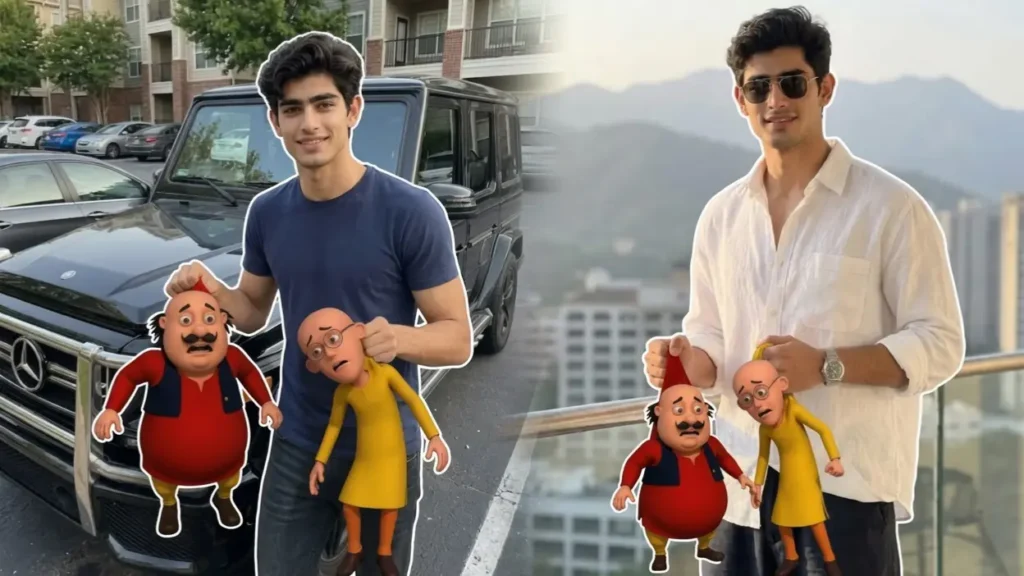
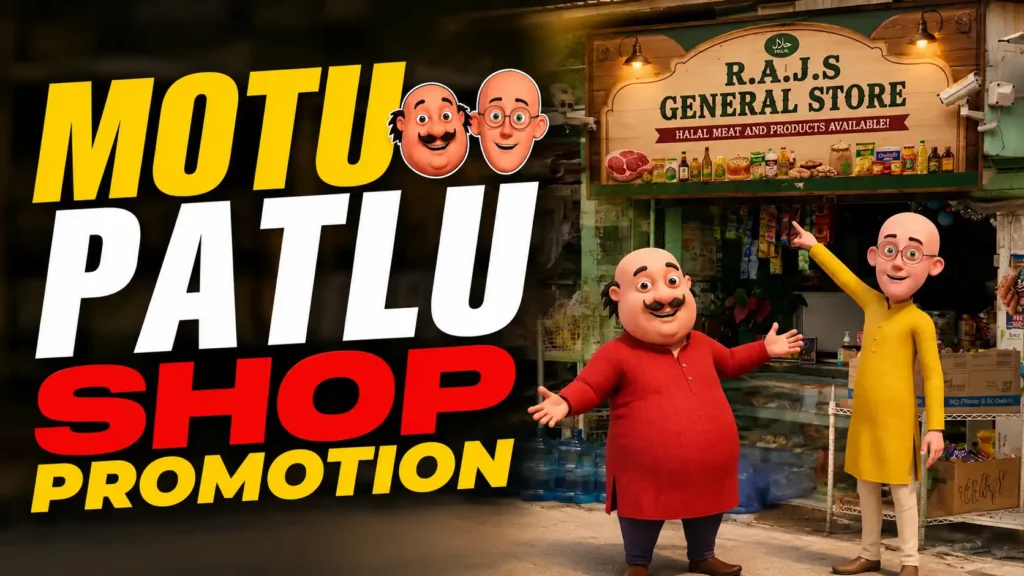
The Motu Patlu trend has entered a new version. Now this trend is used by local businesses to promote their shops, users simply upload a photo of their shop, and AI automatically places two friendly cartoon characters inspired by Motu and Patlu outside the store. The final image is then converted into an animated promotional advertisement where the characters welcome customers and promote the business.
The best part is that the original shop remains completely unchanged while AI adds entertaining characters that attract attention and increase engagement.
In this guide, I’ll explain how to create your own Motu Patlu-style shop advertisement using AI image and video generators for free and that too in just 2-3 minutes.
What Is the Motu Patlu Shop Promotion Trend?
This trend combines:
- Real shop photographs specifically from outside
- Motu Patlu characters
- Animated business advertisements
- Automatic promotional dialogues
- Short-form video content
Instead of creating expensive advertisements, shop owners can generate an eye-catching promotional video using just a single image. This way they can utilise this trend for their businesses.
Popular business types using this trend include:
- Mobile Shops
- General Stores
- Grocery Shops
- Restaurants
- Cafes
- Bakeries
- Salons
- Gyms
- Medical Stores
- Clothing Stores
Not only shops, you can use them to even promote a single product, even digital products can be promoted will this way.
Why Is This Trend Going Viral?
There are several reasons behind its popularity.
Local Audience Connection
People instantly recognize nearby shops and businesses.
Nostalgic Characters
Friendly cartoon characters attract both children and adults.
Low Cost Marketing
Businesses can create promotional videos without hiring actors or videographers.
Higher Engagement
Funny animated advertisements often receive more shares and comments than traditional business promotions.
How to Create a Motu Patlu Shop Advertisement
The process consists of two simple steps: Generating the shop image with motu Patlu and then transforming it into the promotional video.
Step 1: Generate the AI Shop Image
First, take a clear photo of your shop.
Make sure the image includes:
- Shop name board
- Store entrance
- Products or display area
- Good lighting
Upload the image to Gemini or ChatGPT.
Then use the Motu Patlu Shop Promotion Prompt provided earlier.
The AI will:
- Keep the shop exactly as it is
- Preserve the signboard
- Preserve products and surroundings
- Add cartoon characters outside the shop
- Create a professional promotional look
Once the image is generated, save it to your device.
Motu Patlu Shop Promotion Image Prompt
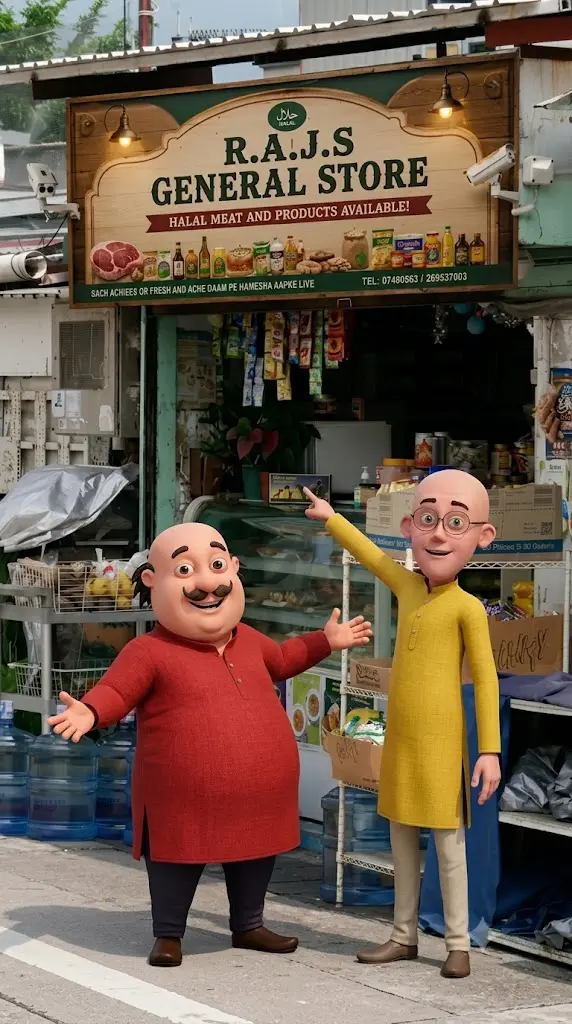
Transform the uploaded shop image into a realistic promotional scene.IMPORTANT:Keep the entire shop exactly as uploaded.Do not change the shop name.Do not change the signboard.Do not modify products, shelves, counters, walls, lighting or surroundings.Add two friendly animated cartoon characters inspired by a chubby man in a red kurta and a thin man in a yellow kurta standing naturally in front of the shop entrance.The characters should look like premium 3D animated movie characters.Character 1:Smiling and welcoming customers with open arms.Character 2:Standing beside him, pointing proudly toward the shop.Make them interact naturally with the store environment.Keep realistic shadows on the ground.Match the original lighting direction.Maintain realistic perspective and scale.The shop must remain the main focus.Ultra realistic background.High quality commercial advertisement style.Professional photography.Clean and sharp details.Viral social media style.9:16 vertical.No text overlays.No watermark.
 Copy
CopyStep 2: Convert the Image into a Video Using YouTube Create
Now it’s time to transform the image into a complete promotional advertisement.
- Open YouTube Create: Launch the YouTube Create app on your smartphone or download it from play Store.
- Select generate video
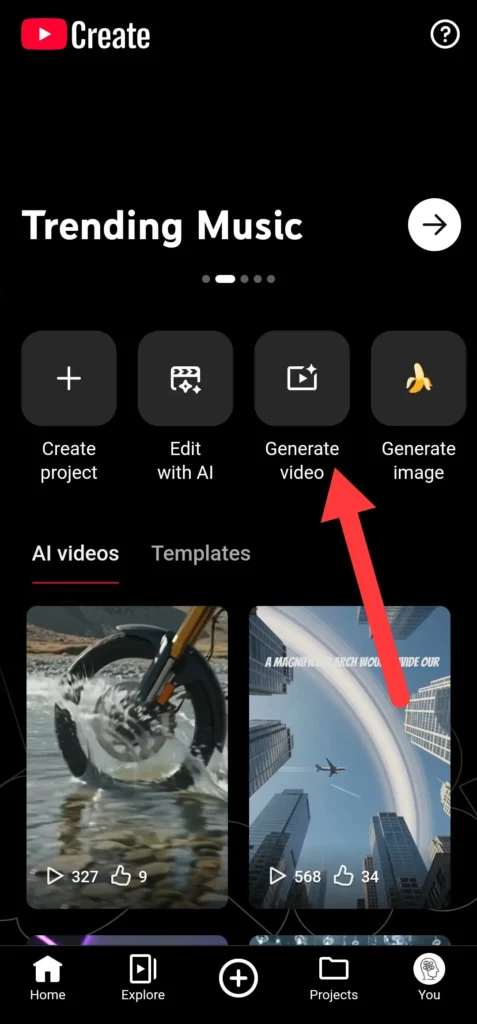
- Select the AI-generated shop image from your gallery.
- Copy the following prompt
Motu Patlu Shop Promotion Video Prompt
Create a realistic commercial advertisement.The camera slowly moves toward the shop.The two cartoon characters standing outside the shop become animated.The chubby character walks slightly forward and welcomes customers with open arms.The thin character points toward the shop entrance and then toward the products.Subtle customer movement in the background.Natural blinking.Natural hand gestures.Smooth cinematic camera movement.Lip sync dialogue:”Namaste dosto! Aapka swagat hai hamari pasandida dukaan mein!”Second character says:”Yahan milenge behtareen products, achhi quality aur zabardast service!”First character says:”Aaj hi visit kijiye aur apne dosto ko bhi batayiye!”Duration:8-10 seconds.Professional commercial ad quality.Natural motion.Realistic environment.
- Paste this prompt in YT create
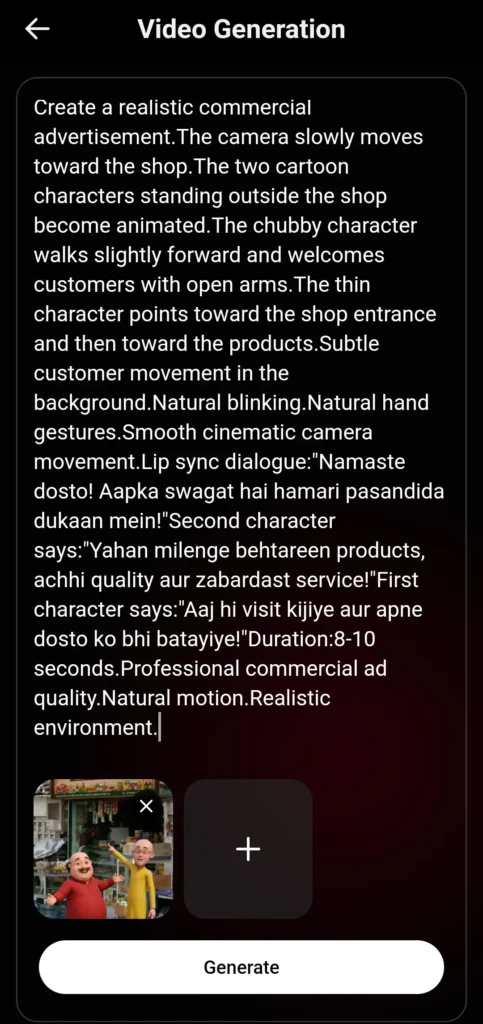
- Hit generate and wait for few seconds
- Your video will be ready, Export the Video in your phone
Recommended settings:
- Resolution: 1080×1920
- Frame Rate: 30 FPS
- Format: Vertical 9:16
Your video is now ready for YouTube Shorts, Instagram Reels, and Facebook Reels.
Example Promotional Dialogue
Here are some ready made copy paste promotional dialogues, you can use for different types of shops.
General Store
“Namaste dosto! Aapka swagat hai hamari general store mein.”
Mobile Shop
“Latest smartphones aur accessories ke liye aaj hi visit kijiye.”
“Best price aur trusted service sirf hamari shop par.”
Restaurant
“Swadisht khane aur behtareen service ke liye aaj hi hamare restaurant mein aaiye.”
Salon
“Nayi hairstyle aur premium grooming experience ke liye aaj hi appointment book kijiye.”
Tips to Make Your Video Go Viral
Use a Clear Shop Photo
The better the original shop image, the better the AI result.
Keep Videos Short
The ideal length is between 8 and 12 seconds.
Include Your Shop Name
Mentioning the business name increases local brand awareness.
Use Local Language
Add a Call-to-Action
Examples:
- Visit today
- Call now (like image me call number de sakte hai and for better alternatives, direct motu Patlu se number read karwa sakte for maximum conversions)
- Follow for updates
- Share with friends
FAQs
Can I use any type of shop photo?
Yes. Mobile shops, grocery stores, restaurants, salons, bakeries, and most local businesses work well.
Do I need video editing experience?
No. YouTube Create provides simple tools for adding motion, voiceovers, subtitles, and music.
How long should the final video be?
Between 8 and 12 seconds is ideal for Shorts and Reels.
Will the AI change my shop name or products?
No. The prompt is designed to preserve the original shop and only add the cartoon characters.
Which platform is best for posting these videos?
YouTube Shorts and Instagram Reels currently provide the highest reach for this type of content.