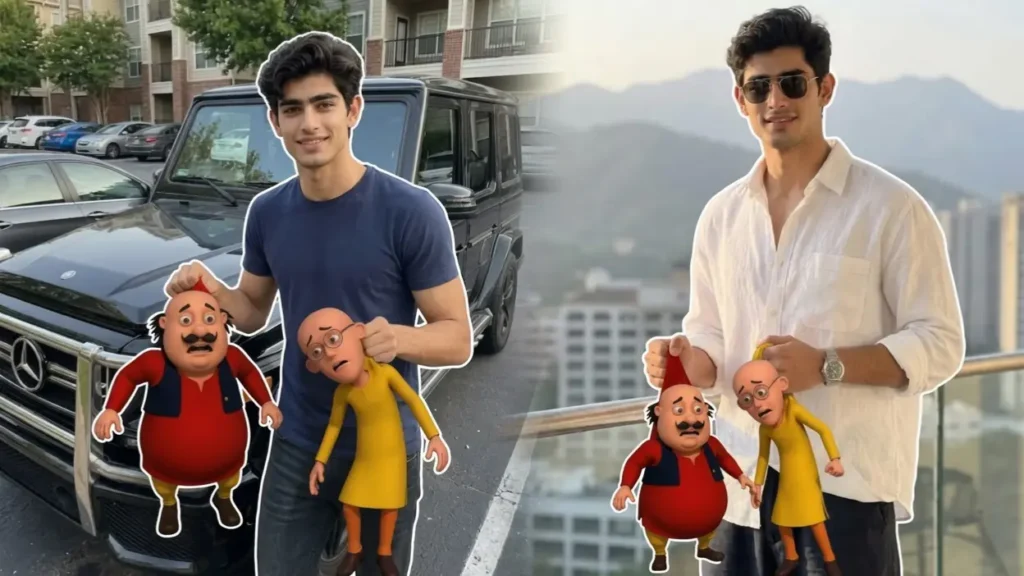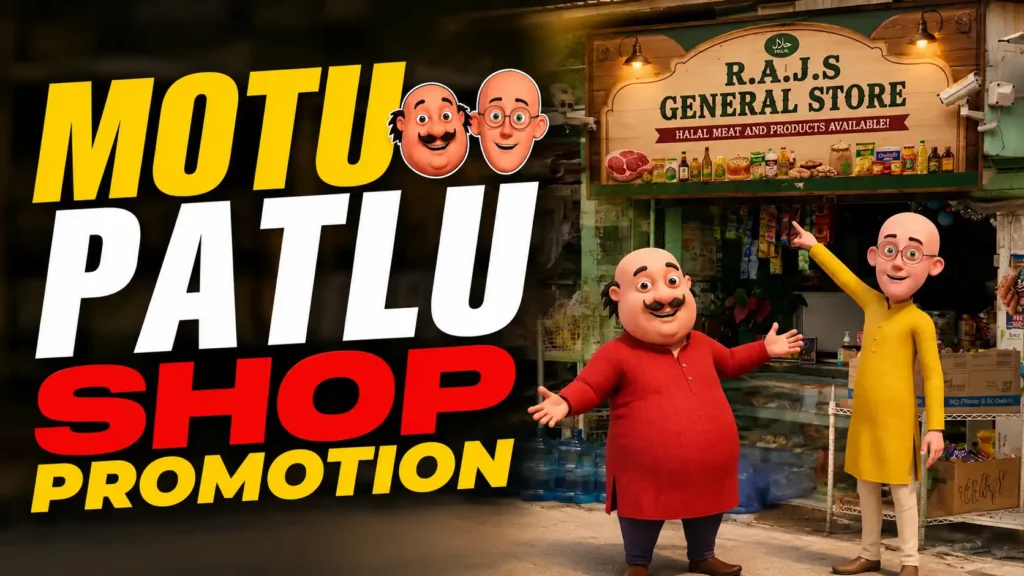
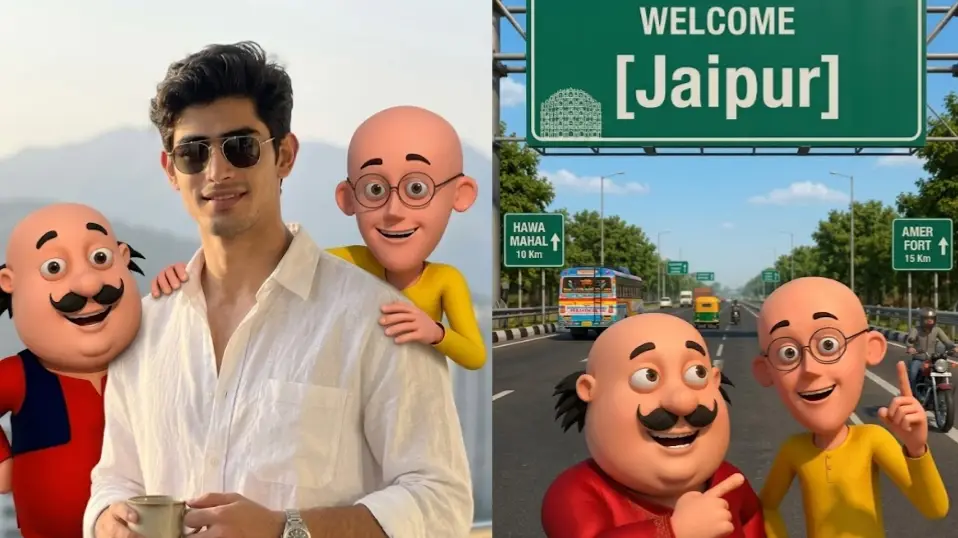
The latest Motu Patlu AI trend is taking over Instagram Reels. In this trend, the reel features two iconic cartoon characters Motu and Patlu welcoming viewers to different cities. In these videos, cartoon characters inspired by Motu and Patlu either stand beneath a city welcome signboard or interact directly with the user in a realistic photo. Today I will tell you how simply in less than 5 minutes you can create such AI images and video for free using Gemini and flow AI.
In this guide, you’ll learn how to create both versions of the trend using simple AI prompts. Also, i will tell you how you can modify them personally from dialogues to other aspects.
What Is the Motu Patlu AI Welcome Trend?
This viral motu Patlu trend combines AI-generated cartoon characters with personalized locations and user photos.
Popular versions include:
- Welcome to my city videos
- Cartoon characters greeting viewers
- User standing with cartoon characters
- Personalized city signboards
- AI-generated animated conversations
Motu Patlu are 2 of the most iconic characters of our childhood and this trend works because it combines nostalgia, personalization, and humor in a highly shareable format.
Version 1: Welcome to My City AI Image
In this version, the cartoon characters stand beneath a large welcome signboard displaying a custom city or village name.
Examples:
- Welcome Mumbai
- Welcome Delhi
- Welcome Jaipur
Users simply replace the city name in the prompt before generating the image.
Why This Version Goes Viral
- Local audience engagement
- People love seeing their city featured
- Easy to customize
- Perfect for regional content creators
Here is the step by step process to create these Motu Patlu Welcome to My City images:
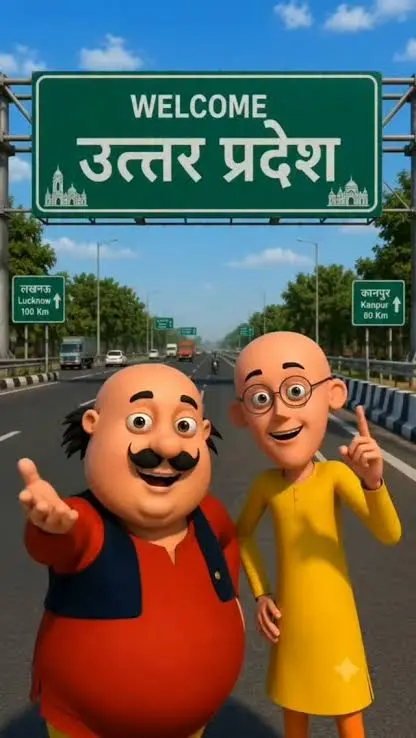
1. Download the following image 👇
2. Open Gemini
3. Upload the downloaded image
4. Copy the following prompt
Transform this image into a highly detailed realistic 3D cartoon scene inspired by classic Indian cartoon characters. Create two cheerful cartoon characters resembling a round chubby man in a red kurta and a tall thin man in a yellow kurta standing on a modern highway beneath a giant green welcome signboard.IMPORTANT:- Replace all signboard text with:WELCOME[Jaipur]- Add realistic highway environment, trees, vehicles, road signs, blue sky and daylight.- Characters should be smiling and pointing toward the signboard.- Professional animated movie quality.- Bright vibrant colors.- Vertical 9:16 composition.- Ultra sharp details.- Viral social media thumbnail style.- Clean readable signboard text.- No watermark.
 Copy
Copy5. Now change the location. Example: WELCOME MUMBAI ya WELCOME LUCKNOW ya WELCOME PATNA
6. Generate the image
7. Download the final image
8. Go to Google Flow
9. Upload your image and paste the following prompt 👇
Motu Patlu AI Video Prompt Welcome Scene
Camera slowly moves forward toward the two cartoon characters standing under the welcome signboard.The chubby character waves his hand toward the viewer while smiling.The tall character points at the signboard and nods.Trees move slightly in the wind.Vehicles pass in the background.Natural daylight motion.Lip sync dialogue:”Namaste dosto! Swagat hai aapka [CITY_NAME] mein!”The second character says:”Agar aap bhi hamare shahar aaye ho, to comment mein apna naam zarur likhna!”Smooth cinematic motion.Natural blinking.Professional animated movie quality.Duration 6-8 seconds.
10. Adjust the video generation settings according to your preferences
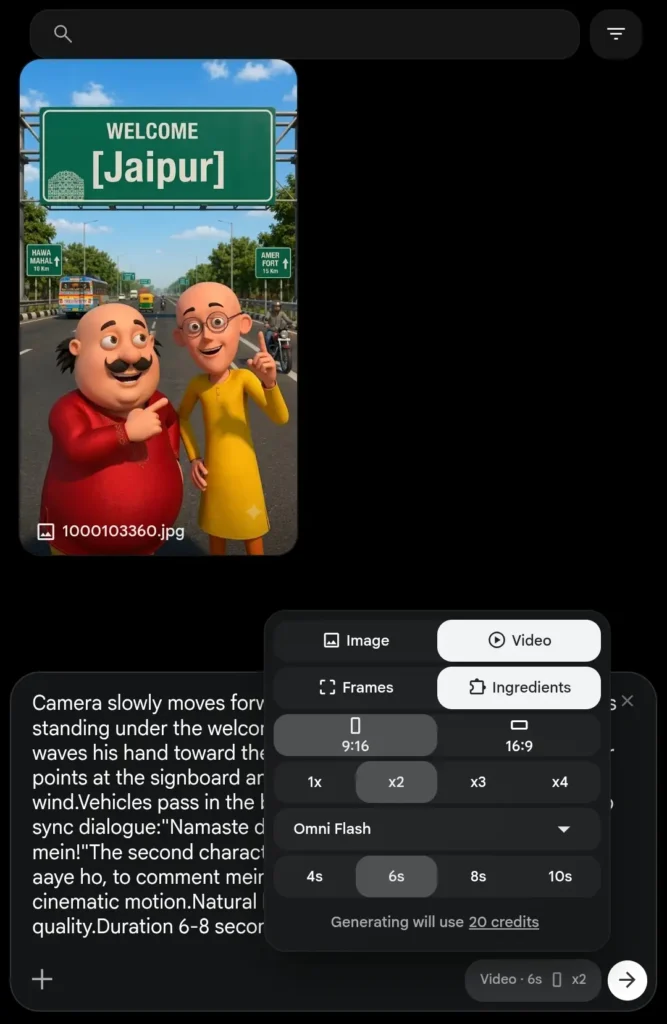
11. Download the video and use it anywhere you wish
Version 2: User + Motu Patlu Together
The second version is even more engaging.
Users upload a real photo, and the AI places two friendly cartoon characters beside them. The characters appear to interact naturally with the user, creating a realistic friendship-style photo.
Popular scenes include:
- Walking together
- Standing by a lake
- Tourist locations
- Parks
- Streets and markets
- College campuses
This version feels more personal and often receives higher engagement than the city welcome version.
Now let’s see how to put motu Patlu in your real image and create a video while interacting with them.
1. First step copy this Prompt
IMPORTANT FACE LOCK:Preserve 100% exact facial identity from uploaded image.Create a realistic photo where the uploaded person is standing naturally between two friendly cartoon characters inspired by a round red-kurta character and a tall yellow-kurta character.The cartoon characters should place their arms around the user’s shoulders like close friends.Environment:Use the same background from the uploaded photo.User should remain fully realistic while the cartoon characters appear as premium animated movie characters.Natural daylight.Realistic shadows.Authentic interaction.Happy expressions.High-quality DSLR photography.Full body composition.Vertical 9:16 format.Instagram viral trend style.Ultra detailed.No extra fingers.No text.
2. Now open Gemini and paste it
3. Upload the downloaded motu Patlu image
4. Now upload your image
5. And hit generate
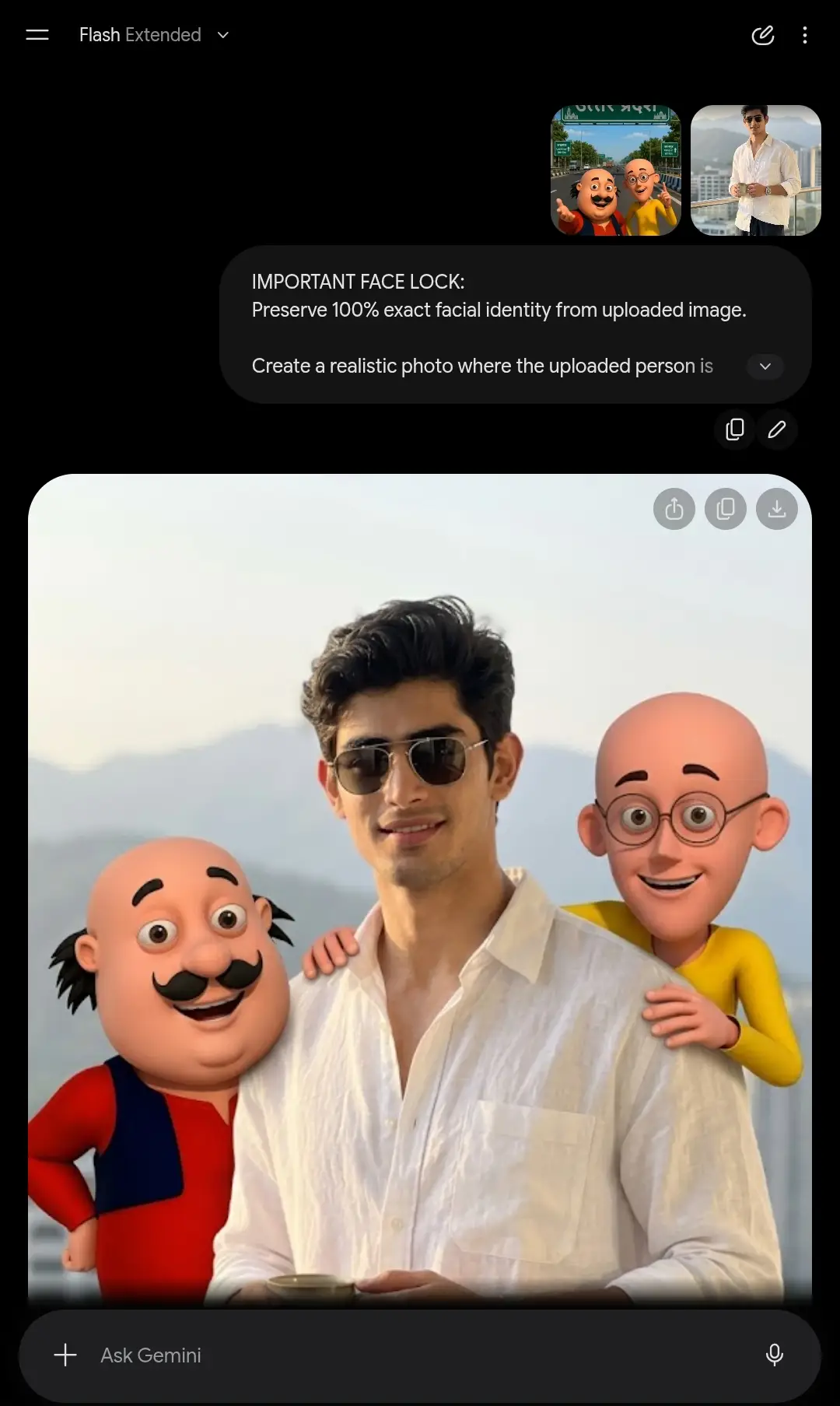
6. Download this image and if you want to create the process is same as above and below is the video prompt
Motu Patlu Video Editing Prompt 2 (User Interaction Scene)Create natural character animation.
Create natural character animation.The cartoon characters are standing beside the uploaded person.The chubby character gently pats the user’s shoulder and smiles.The tall character points toward the user while talking.The user smiles naturally.Background remains realistic.Lip sync dialogue:”Arre wah dosto! Aaj hum mil gaye hamare special dost se!”Second character says:”Aap bhi Motu Patlu se milna chahte ho? To is video ko share karo!”Natural facial expressions.Natural body movement.Smooth camera motion.High quality animation.8 seconds.
Best Dialogue Ideas for Viral Videos
Here are some popular lines creators use:
Welcome Style
“Namaste dosto! Swagat hai aapka Lucknow mein!”
Personal Greeting
“Arre wah! Aaj hum mil gaye hamare special dost se!”
Engagement Boosters
“Comment karo tum kis shahar se ho!”
“Agle video mein kis city ka welcome karna chahiye?”
“Apne dost ko tag karo!”
“Share karo agar tum bhi is shahar se ho!”
Tips for Getting More Views
To maximize engagement:
Use Local Cities
Regional content often performs better because viewers feel personally connected.
Add Your Own Photo
Personalized content generally receives more shares and comments.
Keep Videos Short
The ideal duration is between 6 and 10 seconds.
Use Vertical Format
Always generate content in a 9:16 aspect ratio for Reels and Shorts.
Include a Call-to-Action
Ask viewers to comment their city or tag friends.
Final Thoughts
The Motu Patlu AI trend is a perfect example of how personalized AI content can become viral. Whether you’re welcoming viewers to your city or creating a fun photo with cartoon characters, the combination of nostalgia, local identity, and AI animation makes this trend highly engaging.
With the right prompts, you can create your own personalized welcome video in just a few minutes and join one of the most popular AI content trends on social media today.
FAQ
Can I use any city name?
Yes. Simply replace the city name in the welcome signboard prompt.
Do I need a photo for the second version?
Yes. Uploading a photo allows the AI to place the cartoon characters beside you naturally.
Which aspect ratio is best?
Vertical 9:16 works best for Instagram Reels and YouTube Shorts.
Can I animate the images?
Yes. Most AI video generators can animate both welcome scenes and user interaction photos using simple motion prompts.
Why is this trend going viral?
Because it combines personalization, local pride, nostalgia, and AI animation into highly shareable short-form content.