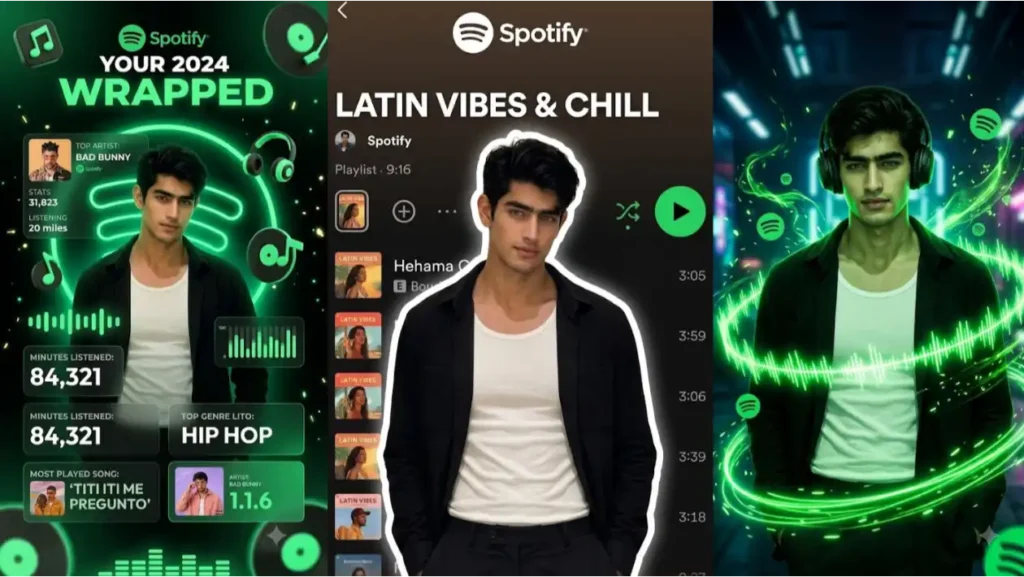
The Spotify AI Trend is one of the biggest social media trends of the year but I don’t consider it a trend as it isn’t something that just rise and fall, it is one of those evergreen trends that everyone using AI want to try once. And this is trending and getting viral on Instagram from a lot of months.
The Spotify trend prompts transform your photos into stunning Spotify-inspired artworks featuring playlists, glowing music effects, neon visuals, and cinematic vibes.
Whether it’s a giant Spotify playlist behind your photo, floating music notes around your head, all these AI-generated images attract millions of views because they combine music, personality, and aesthetics into a single visual. Can you use a different logo like wynk or jio music? Well you can but popular music brand logos are often generated better with much better accuracy.
In this guide, you’ll learn what the Spotify AI Trend is, why it is going viral, and how to create your own Spotify-style images using AI prompts. Creating then is very easy, you can use both Gemini and ChatGPT for free.
What Is The Spotify AI Trend?
The Spotify AI Trend is a photo editing trend where AI transforms a regular image into a music-themed artwork inspired by Spotify’s visual identity.
The final image often includes: Spotify logos, Playlist interfaces, Music visualizers, Sound wave effects, Floating music notes, Neon lighting, Personalized playlists (i gave given option to customize it) and Cinematic dark themed music backgrounds.
The goal is to make it look as if the user is living inside their favorite Spotify playlist.
Prompt 1: Spotify Playlist AI Photo Prompt Free (Best for girls, saree photos, portraits, aesthetic photos)
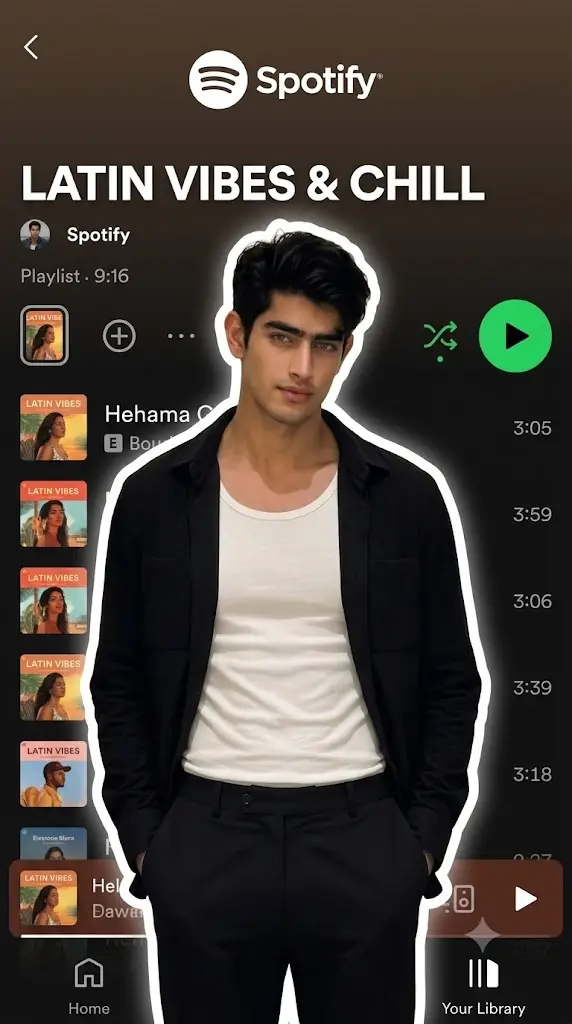
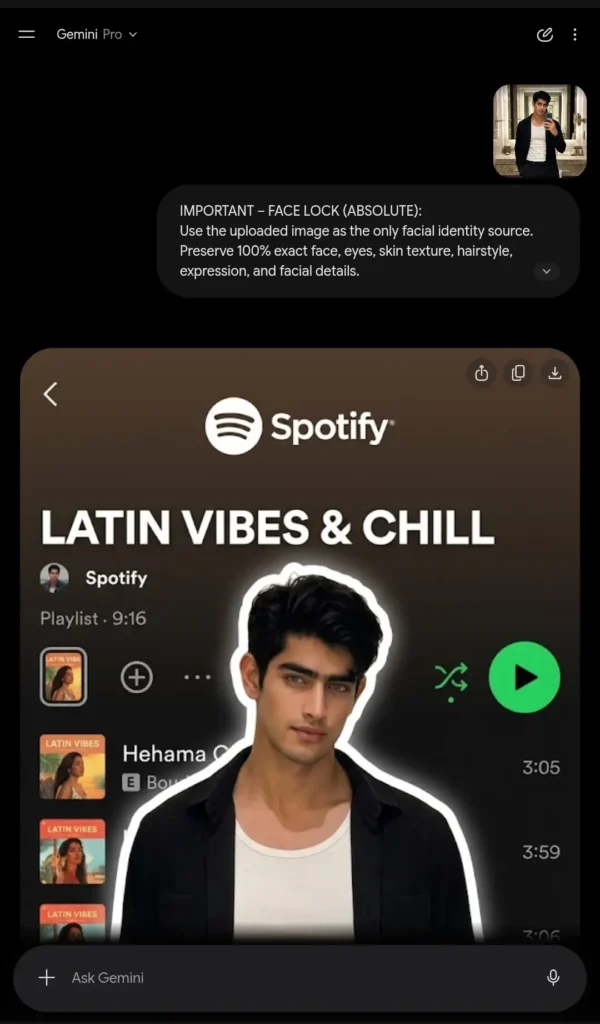
Use the uploaded image as the only facial identity source. Preserve 100% exact face, eyes, skin texture, hairstyle, expression, and facial details.Create a premium Spotify playlist cover style composition.Cut out the uploaded person and place them in front of a giant realistic Spotify playlist screen.Background:Dark Spotify app interface with realistic playlist layout.Playlist Name:”[YOUR PLAYLIST NAME]”Include:- Spotify logo- Playlist cover image- Song list- Song duration- Green Spotify play button- Authentic Spotify typography- Realistic UI elementsEffects:- White sticker outline around the person- Soft glow around subject- Premium depth effect- Slight background blur- High contrast lighting- Clean aesthetic compositionMood:Music lover aestheticModern social media trendPremium editorial styleUltra realistic.Instagram viral trend.Sharp focus.9:16 vertical. Add small geminipromptgenerator.online transparent watermark.No extra people.
 Copy
CopyPrompt 2: Aesthetic Spotify Baground Photo Prompt
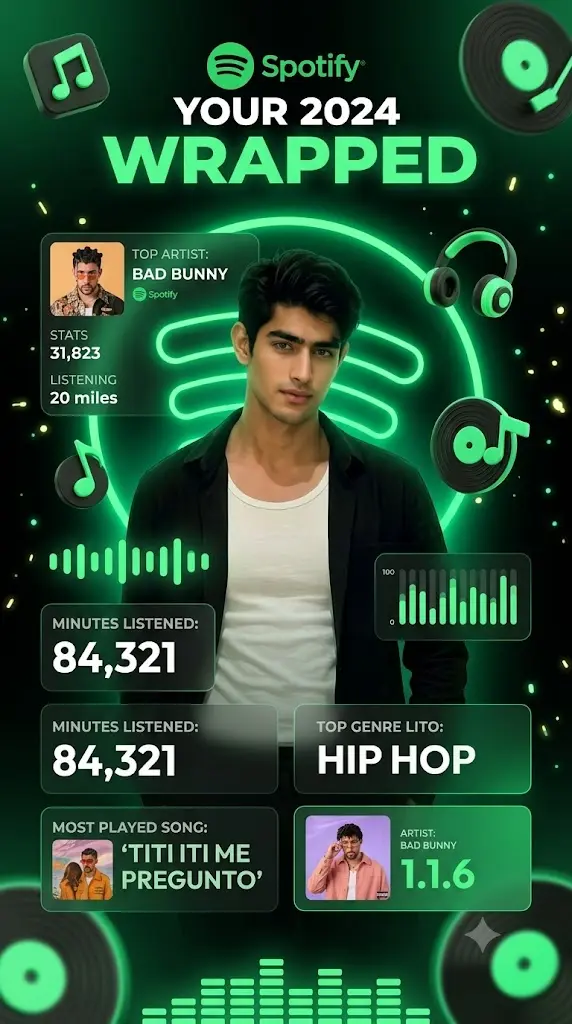
Use uploaded face exactly.Create an official Spotify Wrapped style poster.Display:- User in center- Giant Spotify logo- Top artist section- Minutes listened section- Top genre section- Most played song section- Neon green and black themeAdd:3D floating music icons,audio bars,equalizers,music particles,modern Spotify UI cards.Highly realistic.Premium graphic design.Social media viral poster.9:16.
Prompt 3: Spotify Auta Card Trend
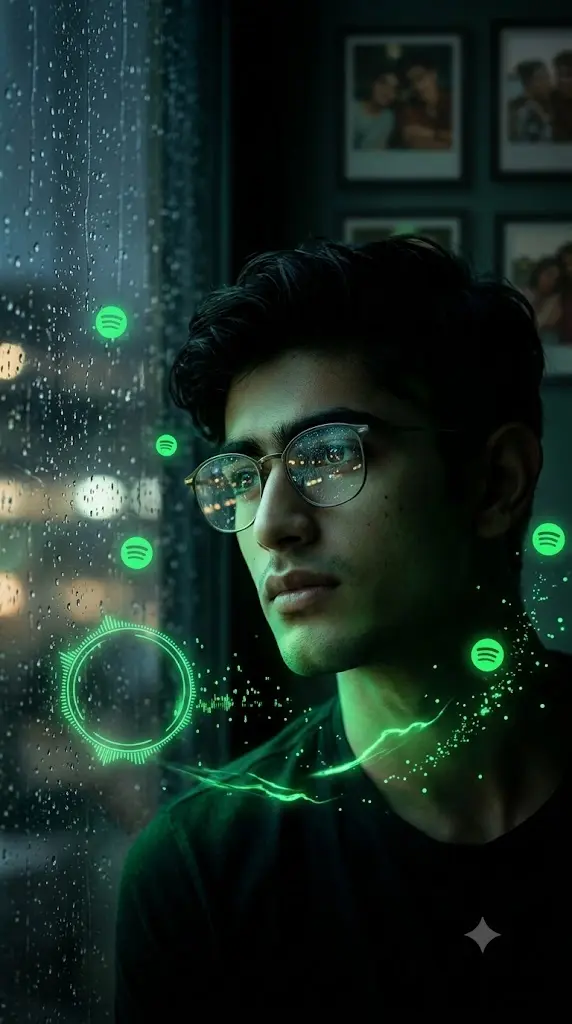
Preserve 100% exact facial identity from uploaded image.Create a dark cinematic portrait of the user sitting beside a rainy window.Pose:Looking outside thoughtfully.Environment:Rain droplets on glass window.Night atmosphere.Soft city lights outside.Around the user:Floating Spotify logos.Animated circular sound-wave rings.Audio spectrum particles.Neon green music energy trails.Add:- Reflections on glasses- Soft green glow- Cinematic depth of field- Realistic shadows- Floating waveform effectsBackground:Memories displayed as blurred photo frames.Color grading:Dark black and Spotify green.Mood:Nostalgic.Heartbreak playlist.Late night music session.Ultra realistic.DSLR quality.Movie poster quality.Sharp focus.9:16 vertical.No watermark.
Prompt 4: Spotify Orbital Trend
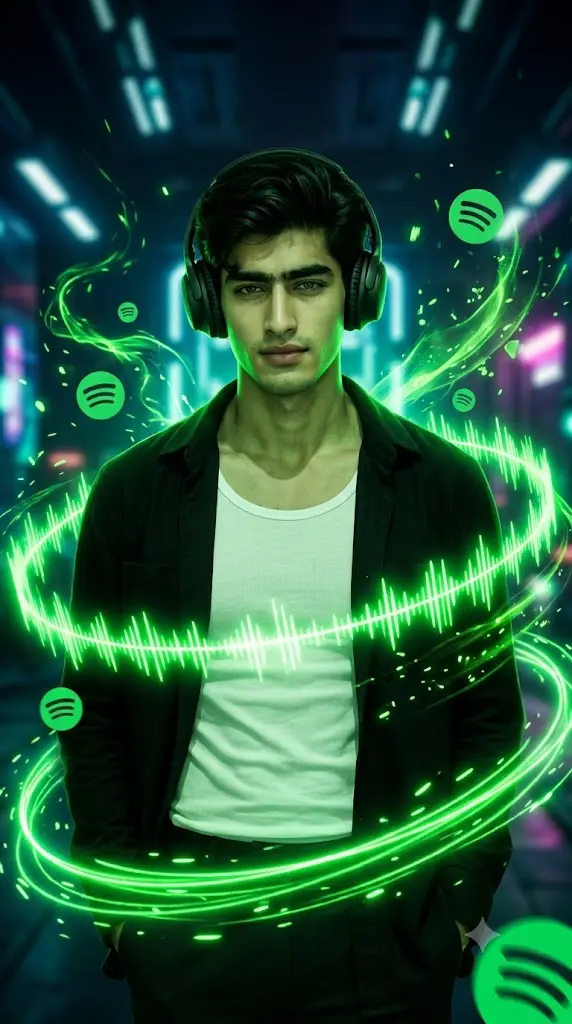
Preserve exact facial identity.Create a cinematic portrait where glowing Spotify sound waves orbit around the user’s body.Add:- Multiple rotating waveform rings- Floating Spotify logos- Music particles- Green energy trails- Headphones- Dark futuristic backgroundLighting:Dramatic neon green lighting.Professional photography.Ultra realistic.Viral Instagram trend.9:16.
Best Playlist Names For Spotify AI Images
A personalized playlist title can make the image more engaging. I’m giving you some example that you can try according to your taste, also if you want to further modify the prompts like changing colours or anything else, then consider creating a modified version of this prompt
Popular examples include:
Romantic Playlists
- Love Forever
- Heartbeats
- You & Me
- Endless Romance
- First Love
Sad Playlists
- Broken Nights
- Missing You
- Midnight Tears
- Alone Again
- Silent Memories
Chill Playlists
- LoFi Dreams
- Rainy Mood
- Sunset Drive
- Calm Vibes
- Peaceful Nights
Party Playlists
- Weekend Beats
- Dance Floor
- Party Starter
- Nonstop Hits
- Club Energy
How To Create Spotify AI Images
Step 1: Upload Your Photo
Choose a high-quality image with a clear face.
The better the original photo, the better the AI-generated result.
Step 2: Select A Spotify Style
Choose one of the popular styles:
- Playlist Card
- Rainy Window
- Spotify Wrapped
- Music Aura
Step 3: Customize The Prompt
You can personalize:
- Playlist name
- Favorite artist
- Music genre
- Mood
- Background style
Step 4: Generate The Image
Paste the prompt into your AI image generator and generate the image.
Tips To Make Your Spotify AI Images More Viral
Match The Playlist To The Photo
A romantic playlist should use a romantic portrait.
A gaming playlist should use a futuristic style.
Consistency improves visual impact.
Keep The Spotify Green Theme
The iconic Spotify green color instantly makes the image recognizable.
Use:
- Green neon lights
- Green sound waves
- Green visualizers
for the best results.
Frequently Asked Questions
What is the Spotify AI Trend?
It is a viral AI editing trend where users transform their photos into Spotify-themed artworks featuring playlists, music effects, and Spotify-inspired visuals.
Do I need Spotify Premium?
No. The trend only uses Spotify-inspired designs and does not require a Premium subscription.
Which AI tools can create Spotify-style images?
Most modern AI image generators that support image editing and face preservation can create Spotify-style photos.
Can I use my own playlist name?
Yes. Most prompts allow you to customize the playlist title, mood, genre, and theme.
Can I turn Spotify AI images into videos?
Yes. Many creators animate the generated image using image-to-video AI tools to create viral Instagram Reels and YouTube Shorts.